自动化发布视频到抖音等各个社交媒体平台social-auto-upload!
项目简介
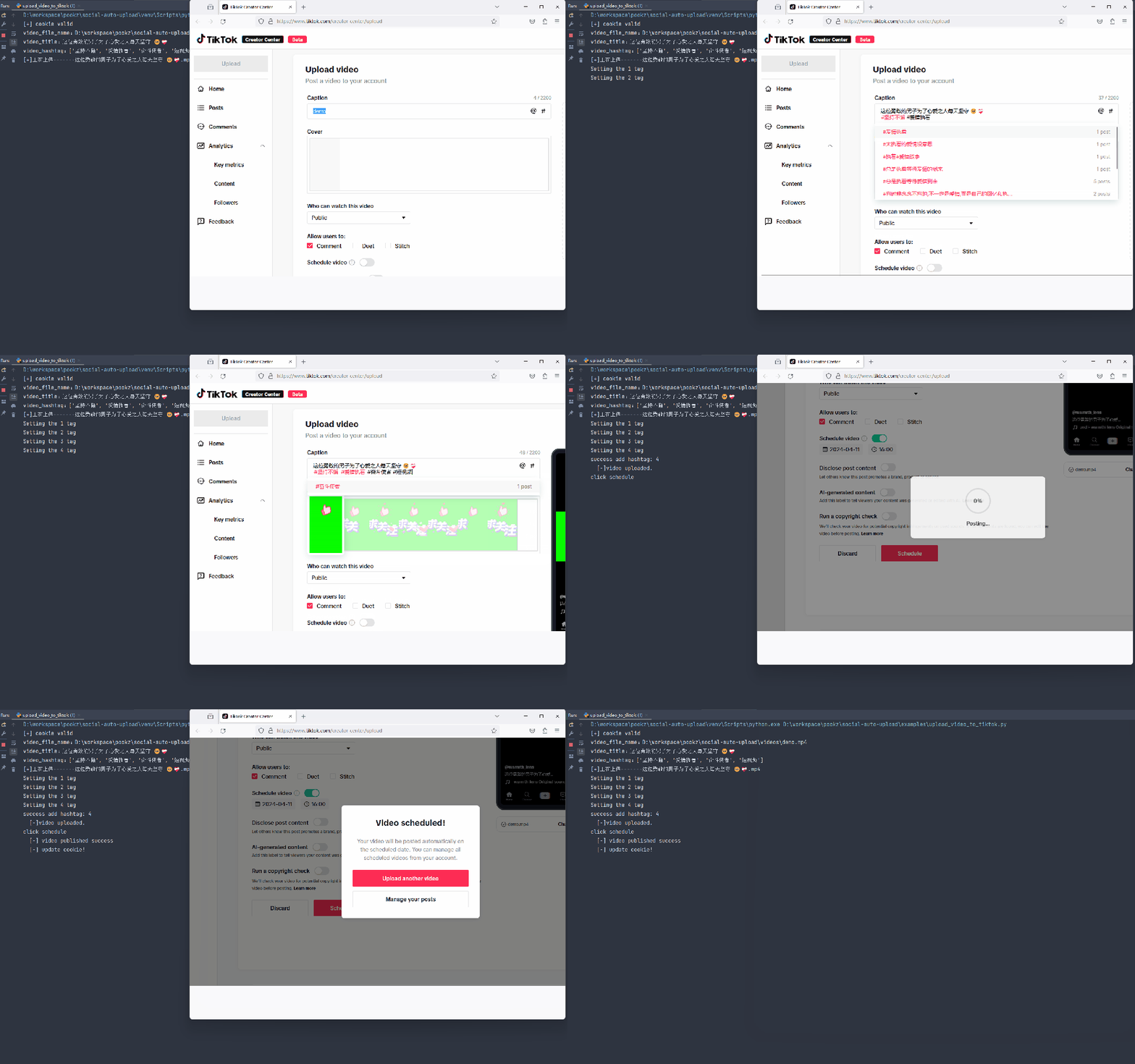
social-auto-upload 该项目旨在自动化发布视频到各个社交媒体平台!亲测好用!除了可以自动发抖音,还可以发B站、视频号、小红书、快手、tiktok。
特点
- 中国主流社交媒体平台:
- 抖音
- 视频号
- bilibili
- 小红书
- 快手
- 百家号
- 部分国外社交媒体:
- tiktok
- youtube
- 易用版本(支持非开发人员使用):Gui or Cli
- API 封装
- Docker 部署
- 自动化上传(schedule)
- 定时上传(cron)
- cookie 管理
- 国外平台proxy 设置
- 多线程上传
- slack 推送
安装
pip install -r requirements.txt playwright install chromium firefox
核心模块解释
1. 视频文件准备(video prepare)
filepath 本地视频目录,目录包含(filepath Local video directory containing)
- 视频文件(video files)
- 视频meta信息txt文件(video meta information txt file)
举例(for example):
file:2023-08-24_16-29-52 – 这位勇敢的男子为了心爱之人每天坚守 .mp4
meta_file:2023-08-24_16-29-52 – 这位勇敢的男子为了心爱之人每天坚守 .txt
meta_file 内容(content):
这位勇敢的男子为了心爱之人每天坚守 🥺❤🩹 #坚持不懈 #爱情执着 #奋斗使者 #短视频
Usage
- 设置conf 文件中的
LOCAL_CHROME_PATH(在douyin、视频号 tiktok可能出现chromium 不兼容的各种问题,建议设置本地的chrome) - 这里分割出来3条路
- 可自行研究源码,免费、任意 穿插在自己的项目中
- 可参考下面的各个平台的使用指南,
examples文件夹中有各种示例代码 - 使用cli 简易使用(支持tiktok douyin 视频号)
cli 用法
python cli_main.py <platform> <account_name> <action: upload, login> [options]查看详细的参数说明使用:
python cli_main.py -husage: cli_main.py [-h] platform account_name action ... Upload video to multiple social-media. positional arguments: platform Choose social-media platform: douyin tencent tiktok kuaishou account_name Account name for the platform: xiaoA action Choose action upload upload operation login login operation watch watch operation options: -h, --help show this help message and exit
示例
python cli_main.py douyin test login douyin平台,账号名为test,动作为login python cli_main.py douyin test upload "C:\Users\duperdog\Videos\2023-11-07_05-27-44 - 这位少女如梦中仙... .mp4" -pt 0 douyin平台, 账号名为test, 动作为upload, 视频文件(需对应的meta文件,详见上), 发布方式(pt):0 立即发布 python cli_main.py douyin test upload "C:\Users\superdog\Videos\2023-11-07_05-27-44 - 这位少女如梦中仙... .mp4" -pt 1 -t "2024-6-14 12:00" douyin平台, 账号名为test, 动作为upload, 视频文件, 发布方式(pt):1 定时发布, 发布时间(t): 2024-6-14 12:00
各平台详细说明
1. 抖音
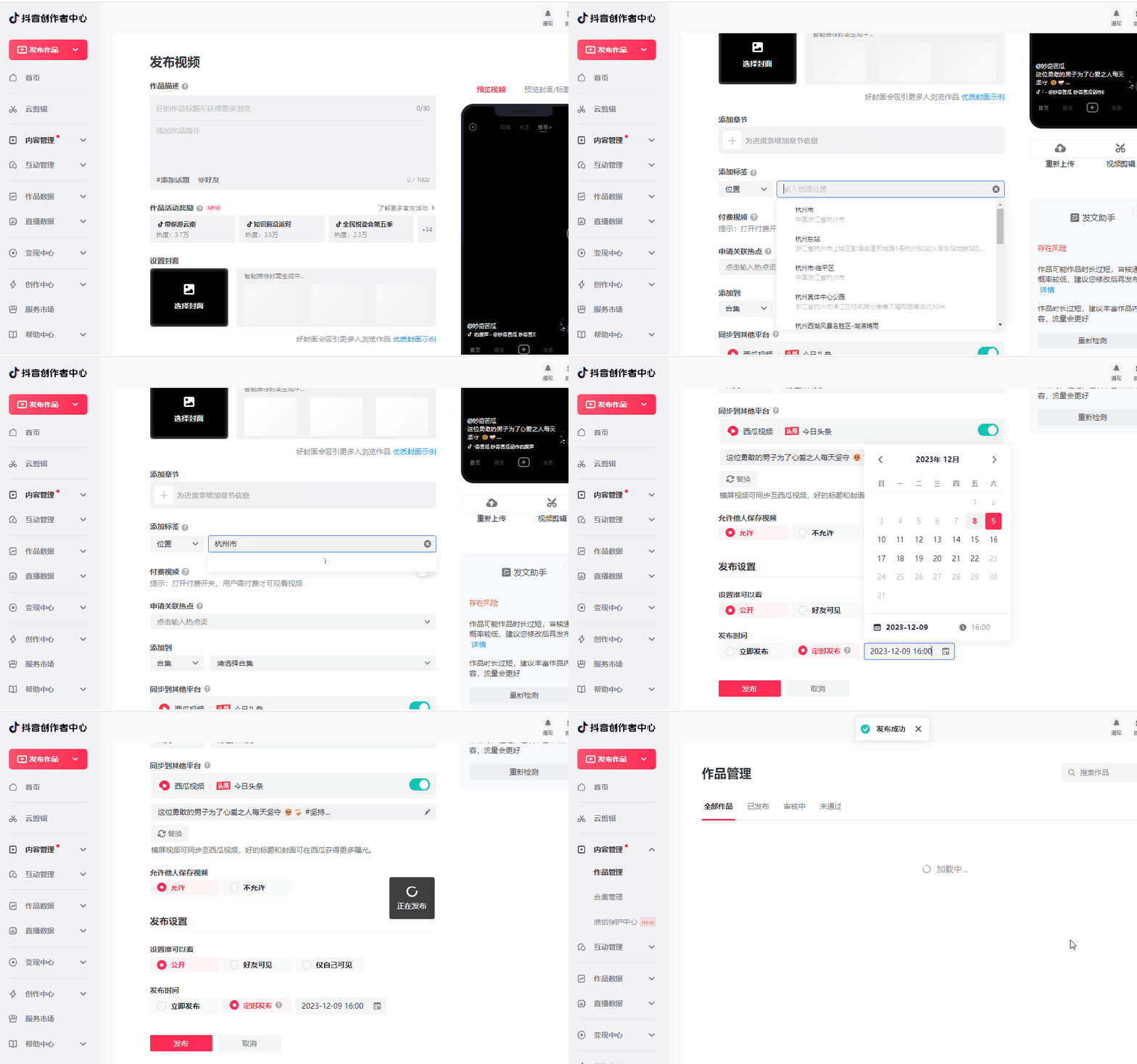
使用playwright模拟浏览器行为
抖音前端实现,诸多css class id 均为随机数,故项目中locator多采用相对定位,而非固定定位
- 准备视频目录结构
- cookie获取:get_douyin_cookie.py 扫码登录
- 上传视频:upload_video_to_douyin.py
其他部分解释:
douyin_setup handle 参数为True,为手动获取cookie False 则是校验cookie有效性 generate_schedule_time_next_day 默认从第二天开始(此举为避免选择时间的意外错误) 参数解释: - total_videos 本次上传视频个数 - videos_per_day 每日上传视频数量 - daily_times 视频发布时间 默认6、11、14、16、22点 - start_days 从第N天开始
2023年12月15日补充:使用chromium可能会出现无法识别视频封面图片的情况 解决方案:
- 下载chrome
- 找到chrome的安装目录
- 将本地chrome 路径conf文件中 LOCAL_CHROME_PATH = “xxx/xxx/chrome.exe”
参考项目:
- https://github.com/wanghaisheng/tiktoka-studio-uploader
- https://github.com/Superheroff/douyin\_uplod
- https://github.com/lishang520/DouYin-Auto-Upload.git
2. 视频号
使用playwright模拟浏览器行为
- 准备视频目录结构
- cookie获取:get_tencent_cookie.py 扫码登录
- 上传视频:upload_video_to_tencent.py
其他部分解释:
参考上面douyin_setup 配置视频号使用chromium会出现不支持上传视频,需要自行指定本地浏览器 解决方案:
- 下载chrome
- 找到chrome的安装目录
- 将本地chrome 路径conf文件中 LOCAL_CHROME_PATH = “xxx/xxx/chrome.exe”
3. 小红书
该实现,借助ReaJason的xhs,再次感谢。
- 目录结构同上
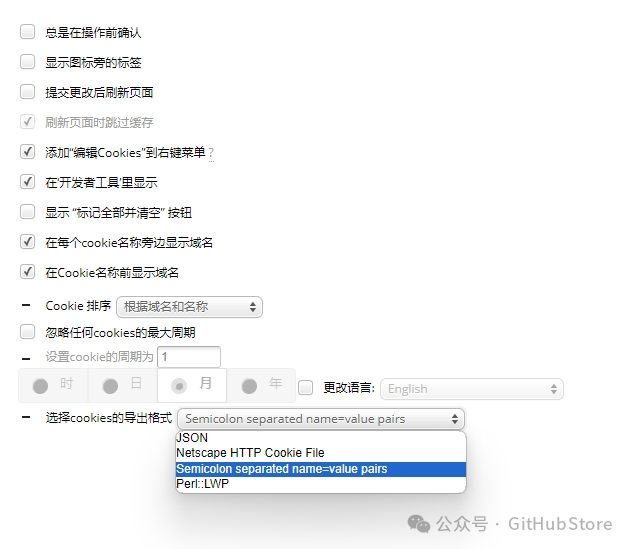
- cookie获取,可使用chrome插件:EditThisCookie
- 设置导出格式
- 导出
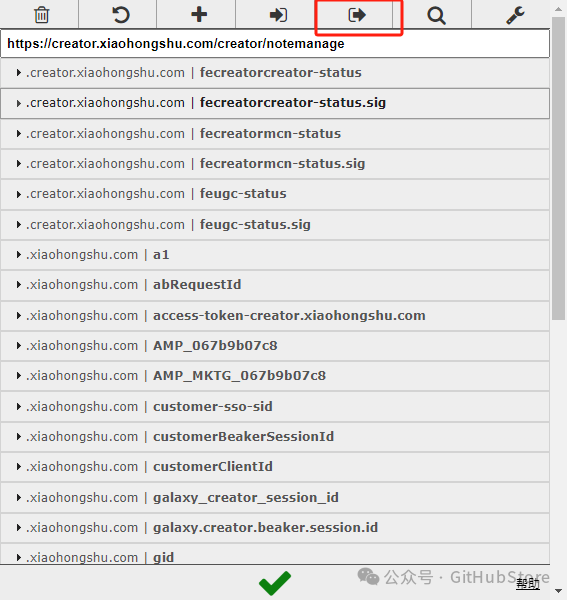
- 黏贴至 uploader/xhs_uploader/accounts.ini文件中
解释与注意事项:
xhs签名方式分为两种: - 本地签名 sign_locl (默认) - 自建签名服务 sign 测试下来发现本地签名,在实际多账号情况下会存在问题 故如果你有多账号分发,建议采用自建签名服务(todo 上传docker配置)
疑难杂症
遇到签名问题,可尝试更新 “utils/stealth.min.js”文件 https://github.com/requireCool/stealth.min.js
24.4.10 大多数人小红书失败的原因在于你的cookie有问题,请参照你cookie是不是如我这样 
关于xhs部分可参考作者: https://reajason.github.io/xhs/basic
todo
- 扫码登录方式(实验下来发现与浏览器获取的存在区别,会有问题,未来再研究)
参考项目:
4. bilibili
该实现,借助biliup的biliup-rs,再次感谢。
- 准备视频目录结构
- cookie获取:
biliup.exe -u account.json login选项你喜欢的登录方式 - 上传视频:upload_video_to_bilibili.py
解释与注意事项:
bilibili cookie 长期有效(至少我运行2年以来是这样的) 其他平台 诸如linux mac 服务器运行 请自行研究
参考项目:
5. tiktok
使用playwright模拟浏览器行为(Simulating Browser Behavior with playwright)
- 准备视频目录结构(Prepare the video directory structure)
- 将本地chrome路径配置到conf文件中 LOCAL_CHROME_PATH = “xxx/xxx/chrome.exe”(Configure the local chrome path to the conf file)
- cookie获取(generate your cookie):get_tk_cookie.py
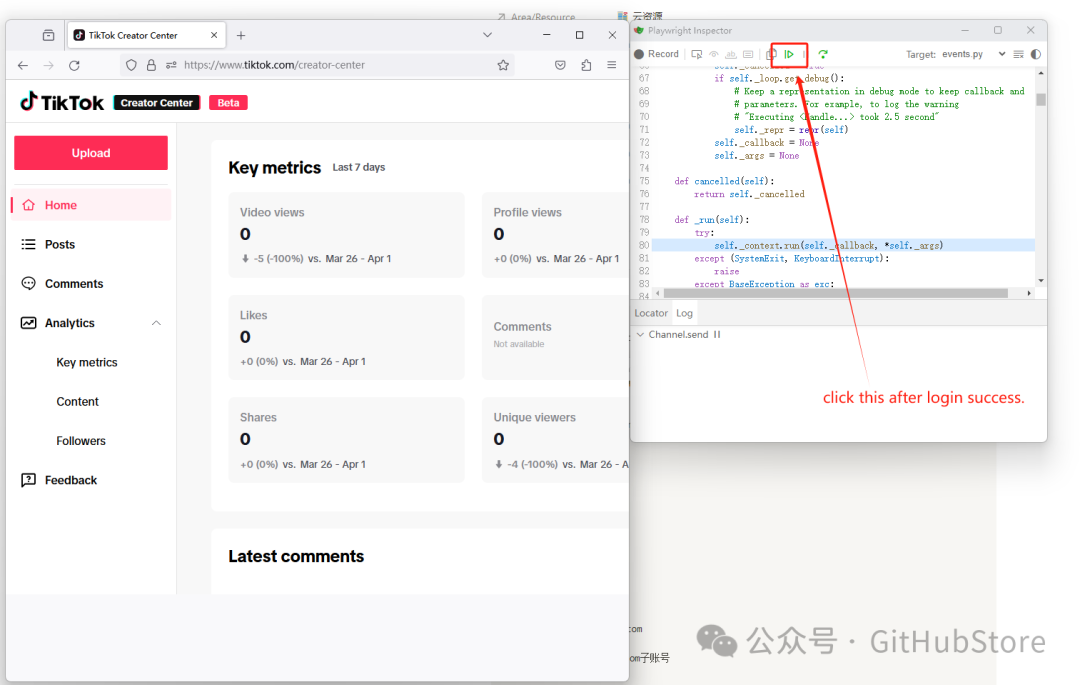
- 上传视频(upload video):upload_video_to_tiktok.py
24.7.3 update local chrome support:
- you can upload your custom thumbnail(place
pngfile at the path ofvideos) - if not, the system will take the first frame of the video as the thumbnail.
- chrome drive can’t login by gmail oauth. the google don’t support it. (if you want login by google oauth you can use the
tk_uploader/main.pyold firefox.) - before the upload process change the language to eng.
其他部分解释:
参考上面douyin_setup 配置other part explain(for eng friends):
tiktok_setup handle parameter is True to get cookie manually False to check cookie validity generate_schedule_time_next_day defaults to start on the next day (this is to avoid accidental time selection errors) Parameter explanation: - total_videos Number of videos uploaded this time - videos_per_day Number of videos uploaded per day - daily_times The video posting times are 6, 11, 14, 16, 22 by default. - start_days Starts on the nth day.
参考项目:
项目链接
扫码加入技术交流群,备注「开发语言-城市-昵称」
(文:GitHubStore)
相关文章