替换Langchain-Chatchat中的数据库为MySQL
Langchain-Chatchat v0.2.8版本中默认使用的SQLite数据库,本文主要介绍将SQLite替换为MySQL数据库。因为在生产环境中,通常还是会用MySQL数据库。
一.新建数据库和修改配置文件
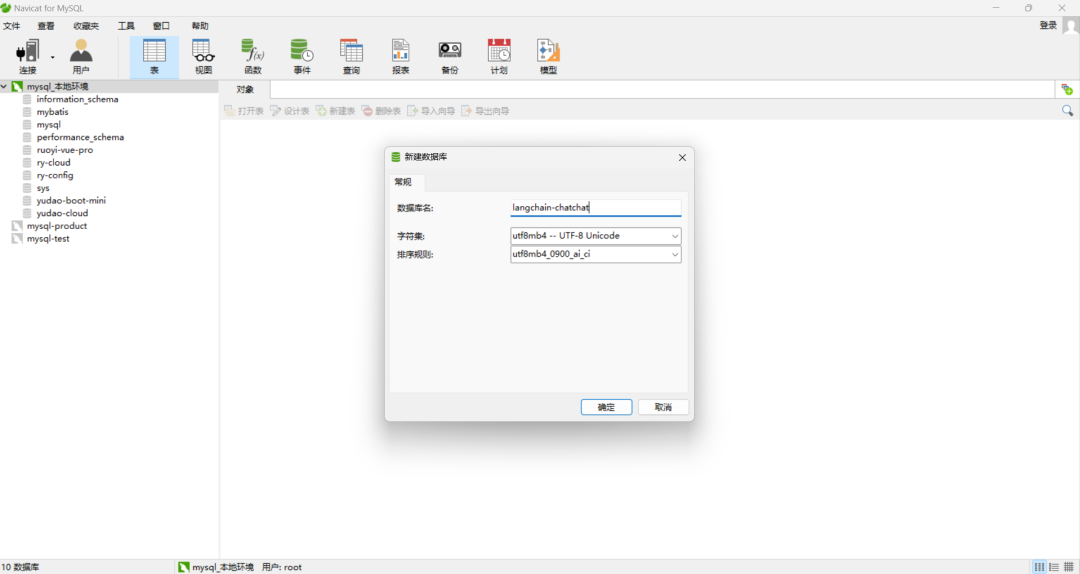
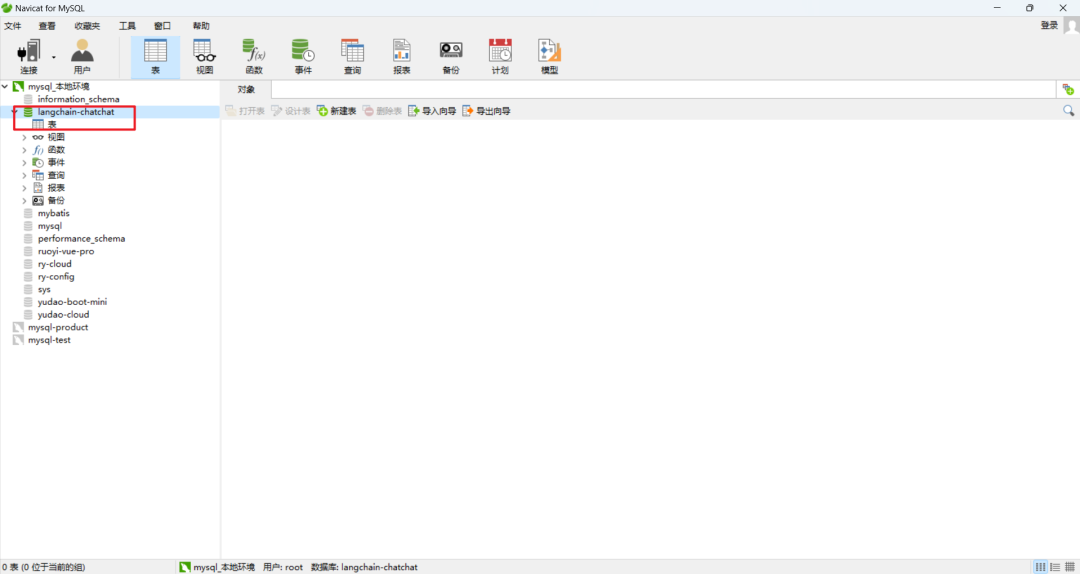
1.新建db为langchain-chatchat
使用mysql数据库来存储知识库,使用MySQL新建db为langchain-chatchat,其中字符集和排序规则分别为utf8mb4 — UTF-8 Unicode和utf8mb4_0900_ai_ci。如下所示:
2.修改kb_config.py配置文件
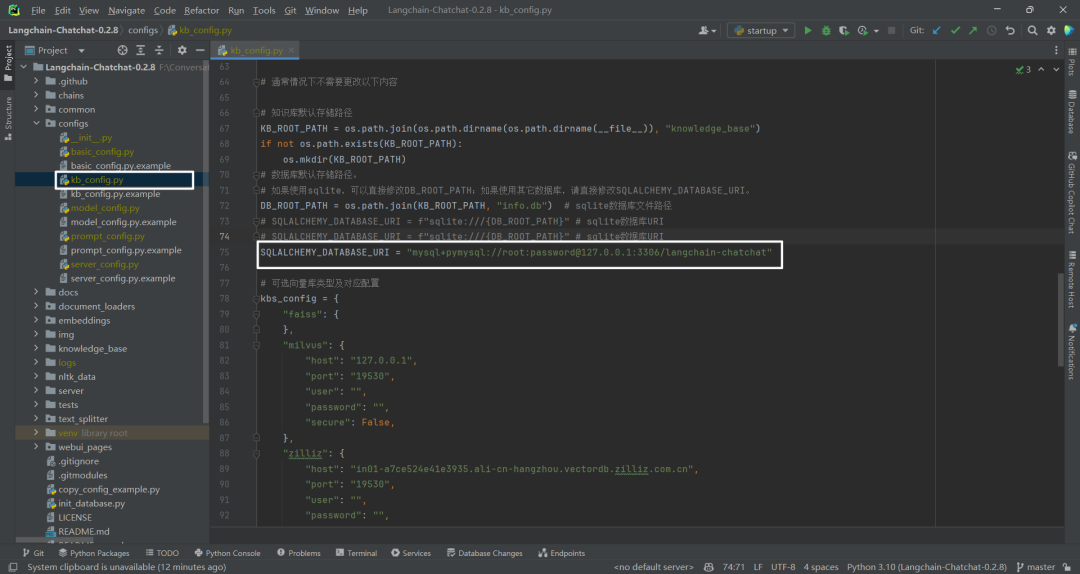
如果使用其它数据库(非SQLite数据库),直接修改SQLALCHEMY_DATABASE_URI。F:\ConversationSystem\ChatCopilot\Langchain\Langchain-Chatchat-0.2.8\configs\kb_config.py,如下所示:
3.安装pymysql包
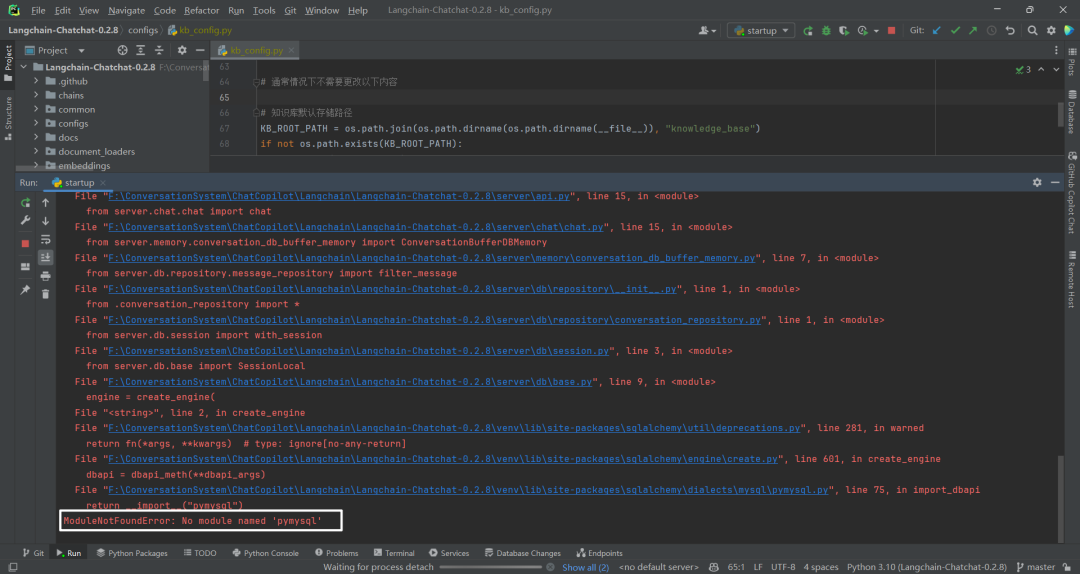
需要安装pymysql包,pip install pymysql -i https://pypi.tuna.tsinghua.edu.cn/simple。否则报错,如下所示:
4.可能遇到临时文件目录不存在问题
如果Debug时遇到临时文件目录找不到的情况,可以修改BASE_TEMP_DIR目录,如下所示:

5.知识库信息错误
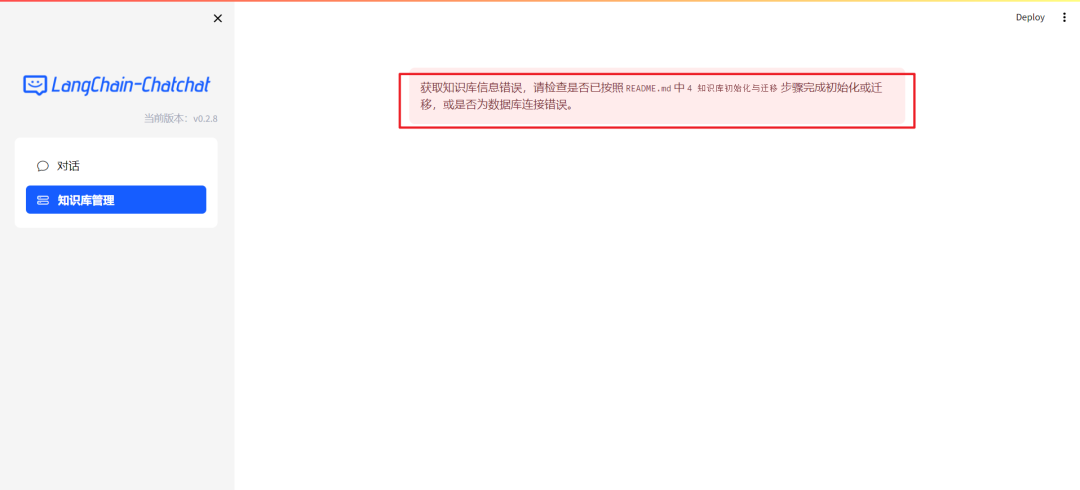
这个时候启动项目python start.py -a会报知识库信息错误,因为这个时候知识库还没有初始化,如下所示:
二.初始化数据库
1.初始化操作
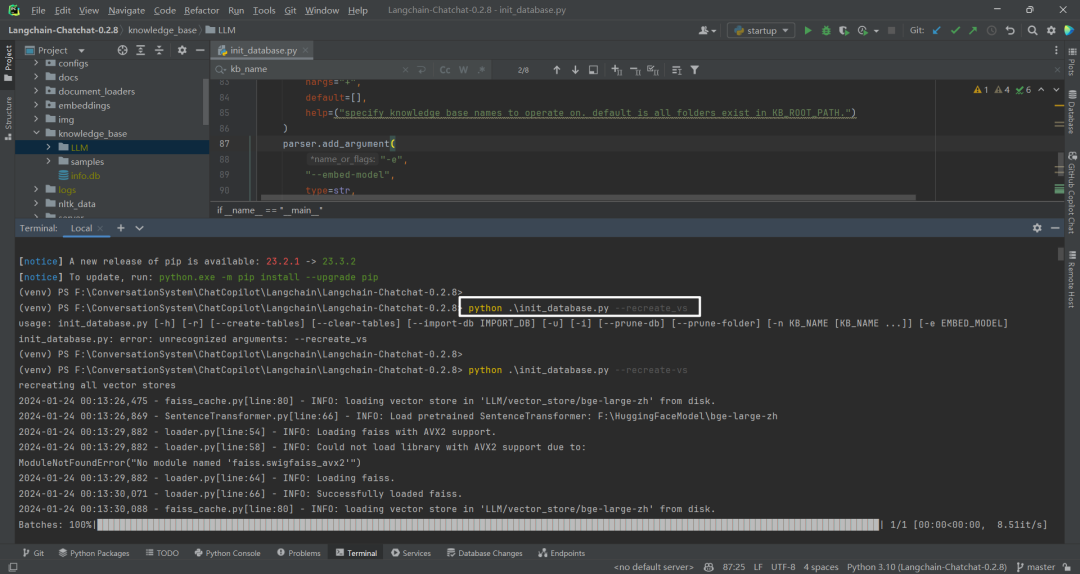
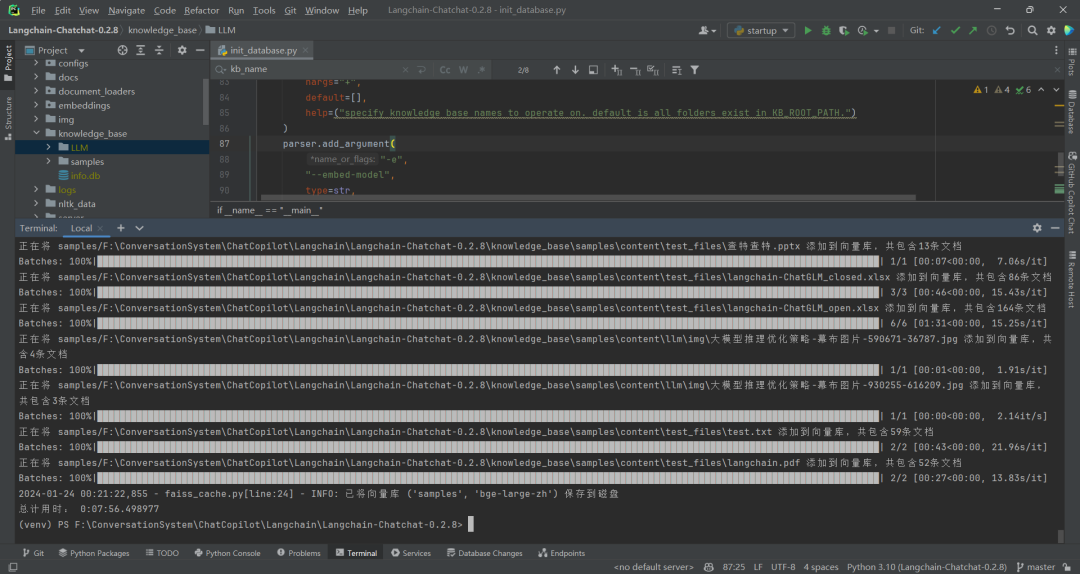
通过命令python init_database.py --recreate-vs初始化知识库/数据库。如下所示:
2.初始化相关命令
python init_database.py --recreate-vs命令具体进行了什么操作呢?查看源码F:\ConversationSystem\ChatCopilot\Langchain\Langchain-Chatchat-0.2.8\init_database.py,如下所示:
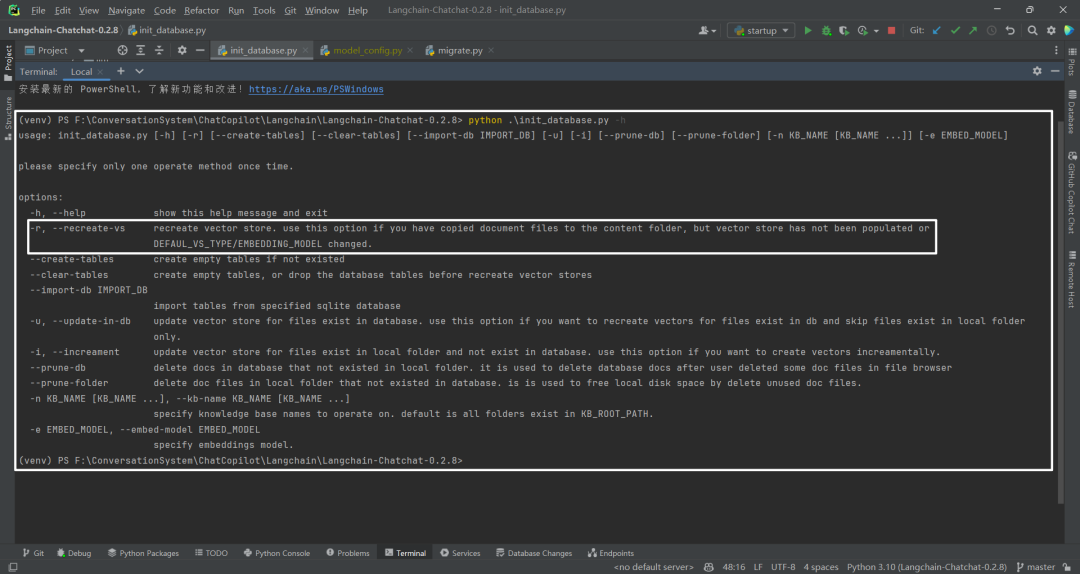
相关命令解释,如下所示:
| 序号 | 命令 | 中文解释 | 英文解释 | |||
|---|---|---|---|---|---|---|
| 1 | -r, –recreate-vs | 重新创建vector存储。如果已将文档文件复制到内容文件夹,但尚未填充vector存储或更改DEFAUL_VS_TYPE/EMBEDDING_MODEL,使用此选项。 | recreate vector store. use this option if you have copied document files to the content folder, but vector store has not been populated or DEFAUL_VS_TYPE/EMBEDDING_MODEL changed. | |||
| 2 | –create-tables | 创建空表(如果不存在)。 | create empty tables if not existed | |||
| 3 | –clear-tables | 创建空表,或在重新创建向量存储之前删除数据库表。 | create empty tables, or drop the database tables before recreate vector stores | |||
| 4 | –import-db IMPORT_DB | 从指定的sqlite数据库导入表。 | import tables from specified sqlite database | |||
| 5 | -u, –update-in-db | 更新数据库中已存在文件的向量存储。如果想为数据库中已存在的文件重新创建向量,并跳过仅存在于本地文件夹中的文件,使用此选项。假如文件夹为a|b | c,数据库为a | b,那么更新a | b到向量库,即忽略本地文件夹,仅更新数据库中的文件到向量库。 | update vector store for files exist in database. use this option if you want to recreate vectors for files exist in db and skip files exist in local folder only. |
| 6 | -i, –increament | 更新本地文件夹中存在但数据库中不存在的文件的向量存储。如果想增量创建向量,使用此选项。假如文件夹为a|b | c,数据库为a | b,那么更新c到数据库和向量库。 | update vector store for files exist in local folder and not exist in database. use this option if you want to create vectors increamentally. | |
| 7 | –prune-db | 删除数据库中不存在于本地文件夹中的文档。用于用户在文件浏览器中删除某些doc文件后删除数据库文档。假如数据库是a|b | c文档,本地是a | b文档,那么删除数据库中的c文档。 | delete docs in database that not existed in local folder. it is used to delete database docs after user deleted some doc files in file browser | |
| 8 | –prune-folder | 删除数据库中不存在的本地文件夹中的doc文件。用于通过删除未使用的doc文件来释放本地磁盘空间。假如数据库是a|b文档,本地是a | b | c文档,那么删除本地的c文档。 | delete doc files in local folder that not existed in database. is is used to free local disk space by delete unused doc files. | |
| 9 | -n KB_NAME [KB_NAME …], –kb-name KB_NAME [KB_NAME …] | 指定要操作的知识库名称。默认是存在于KB_ROOT_PATH中的所有文件夹。 | specify knowledge base names to operate on. default is all folders exist in KB_ROOT_PATH. | |||
| 10 | -e EMBED_MODEL, –embed-model EMBED_MODEL | 指定嵌入模型。 | specify embeddings model. |
3.解释python init_database.py --recreate-vs命令
因为没有指定知识库名字和embedding模型,所以对存在于KB_ROOT_PATH中的所有文件夹(知识库)和默认embedding模型进行操作。默认使用的faiss向量数据库,一方面生成向量库文件,另一方面生成数据库文件。
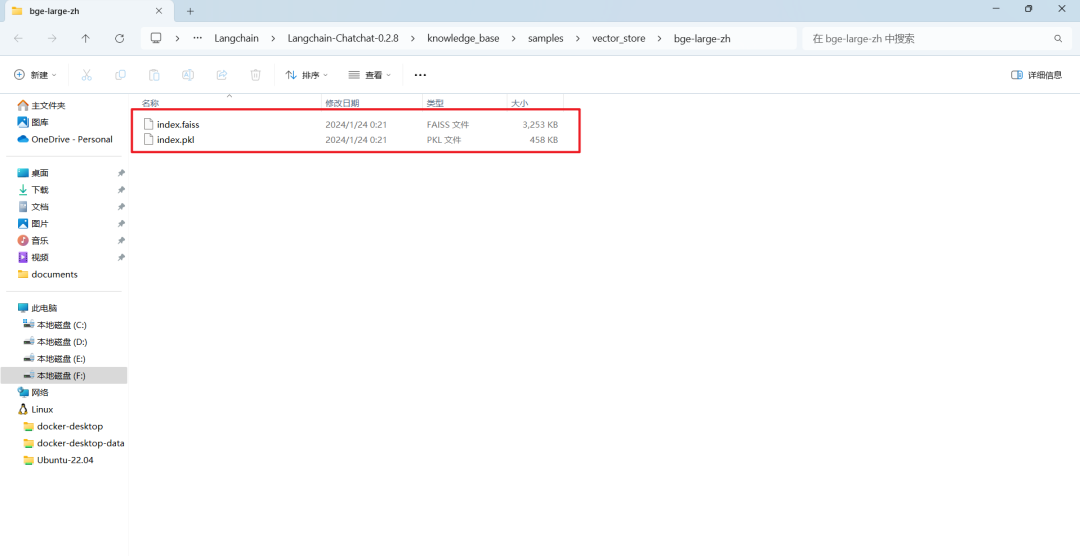
4.向量库文件
包括index.faiss和index.pkl这2个文件,如下所示:
5.数据库文件
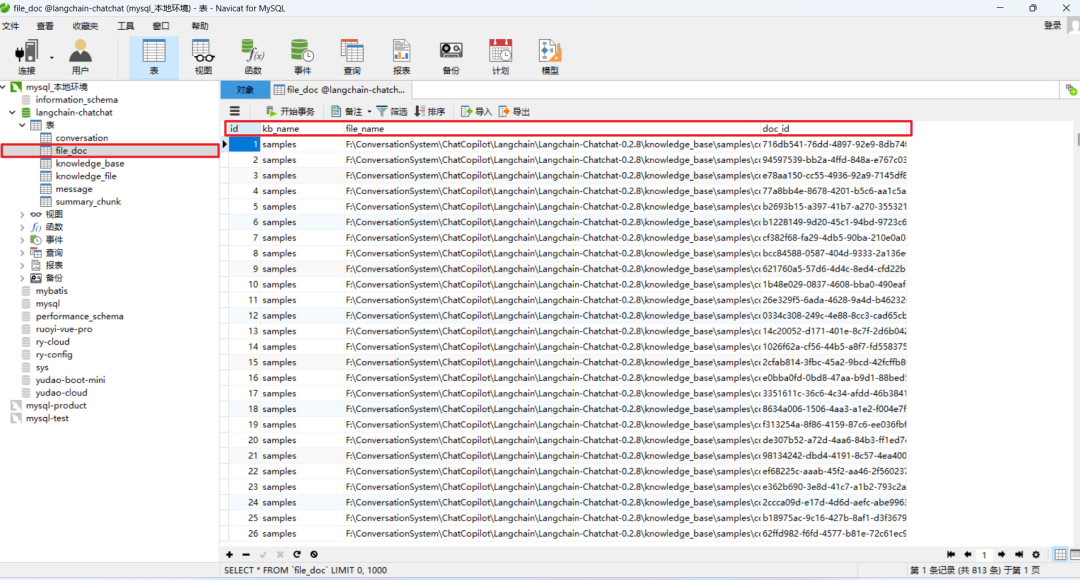
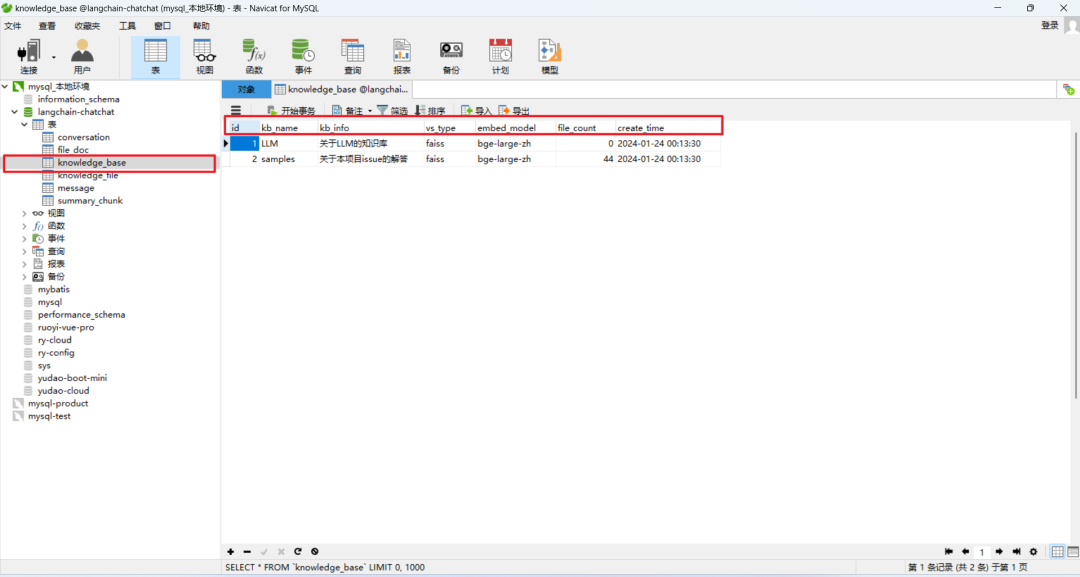
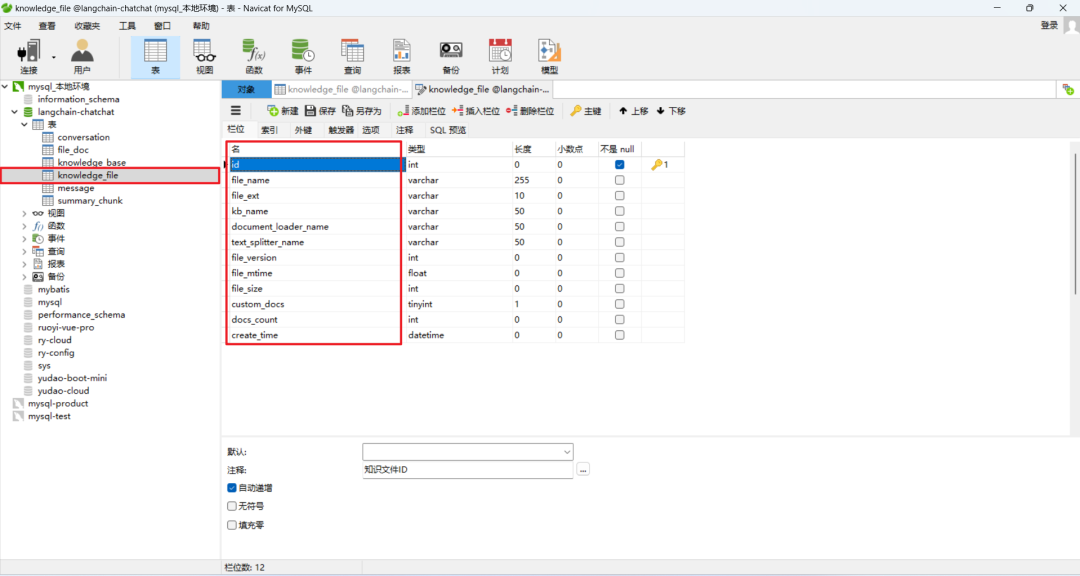
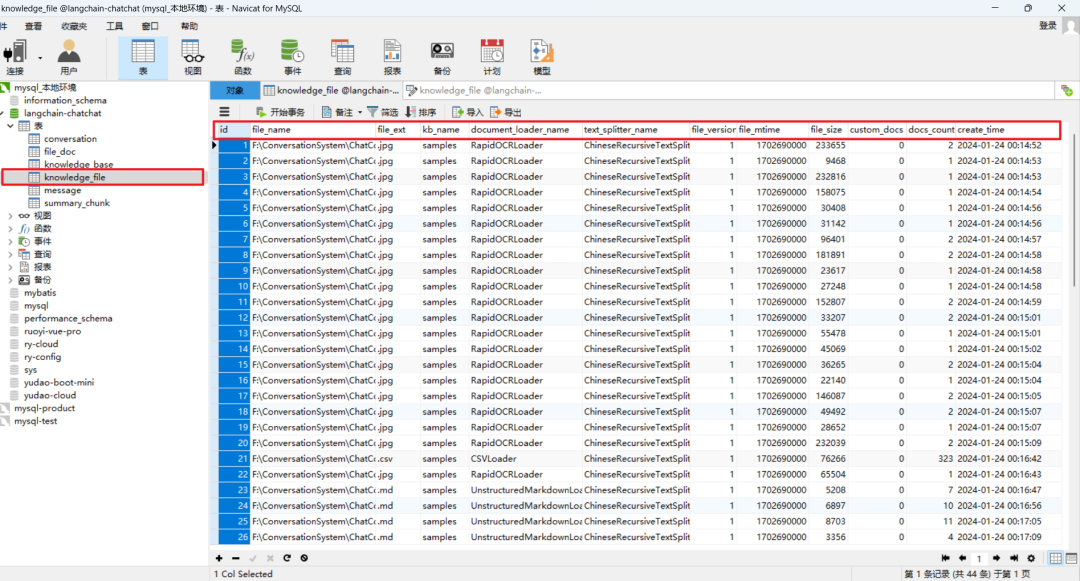
主要是conversation、file_doc、knowledge_base、knowledge_file、message和summary_chunk这几张表,如下所示:
(1)file_doc数据表
(2)knowledge_base数据表
(3)knowledge_file数据表
参考文献
[1] https://github.com/chatchat-space/Langchain-Chatchat/blob/master/init\_database.py
[2] 替换Langchain-Chatchat中的数据库为MySQL:https://z0yrmerhgi8.feishu.cn/wiki/Qdj4wSj9Yiq7yWkeZAecz86UnUd
(文:NLP工程化)
相关文章