效果非常不错!阿里昨开源图形海报生成模型Qwen-Image
模型介绍
我们隆重推出Qwen-Image——基于20B参数MMDiT架构的多模态图像基础模型,在复杂文本渲染和精确图像编辑方面实现重大突破。实验表明,该模型在图像生成与编辑任务中均展现出卓越的通用能力,尤其在中文文本渲染方面表现优异。
快速开始
- 确保安装transformers>=4.51.3(支持Qwen2.5-VL架构)
- 安装最新版diffusers
ounter(line pip install git+https://github.com/huggingface/diffusers
以下代码示例展示如何基于文本提示生成图像:
ounter(lineounter(lineounter(lineounter(lineounter(lineounter(lineounter(lineounter(lineounter(lineounter(lineounter(lineounter(lineounter(lineounter(lineounter(lineounter(lineounter(lineounter(lineounter(lineounter(lineounter(lineounter(lineounter(lineounter(lineounter(lineounter(lineounter(lineounter(lineounter(lineounter(lineounter(lineounter(lineounter(lineounter(lineounter(lineounter(lineounter(lineounter(lineounter(lineounter(lineounter(lineounter(lineounter(lineounter(lineounter(lineounter(lineounter(lineounter(lineounter(lineounter(line from diffusers import DiffusionPipeline import torch model_name = "Qwen/Qwen-Image" # 初始化生成管道 if torch.cuda.is_available(): torch_dtype = torch.bfloat16 device = "cuda" else: torch_dtype = torch.float32 device = "cpu" pipe = DiffusionPipeline.from_pretrained(model_name, torch_dtype=torch_dtype) pipe = pipe.to(device) positive_magic = { "en": "Ultra HD, 4K, cinematic composition.", # 英文提示增强 "zh": "超清,4K,电影级构图" # 中文提示增强 } # 生成图像示例 prompt = '''咖啡店门口放置着黑板招牌,上面写着"Qwen咖啡 😊 每杯2美元",旁边霓虹灯显示"通义千问"。招牌下方张贴着中国美女海报,海报底部标注"π≈3.1415926-53589793-23846264-33832795-02384197"。''' negative_prompt = " " # 若无负面提示需求建议保留空格 # 支持多种宽高比 aspect_ratios = { "1:1": (1328, 1328), "16:9": (1664, 928), "9:16": (928, 1664), "4:3": (1472, 1104), "3:4": (1104, 1472), "3:2": (1584, 1056), "2:3": (1056, 1584), } width, height = aspect_ratios["16:9"] image = pipe( prompt=prompt + positive_magic["zh"], negative_prompt=negative_prompt, width=width, height=height, num_inference_steps=50, true_cfg_scale=4.0, generator=torch.Generator(device="cuda").manual_seed(42) ).images[0] image.save("示例图片.png")
核心能力展示
高保真文本渲染
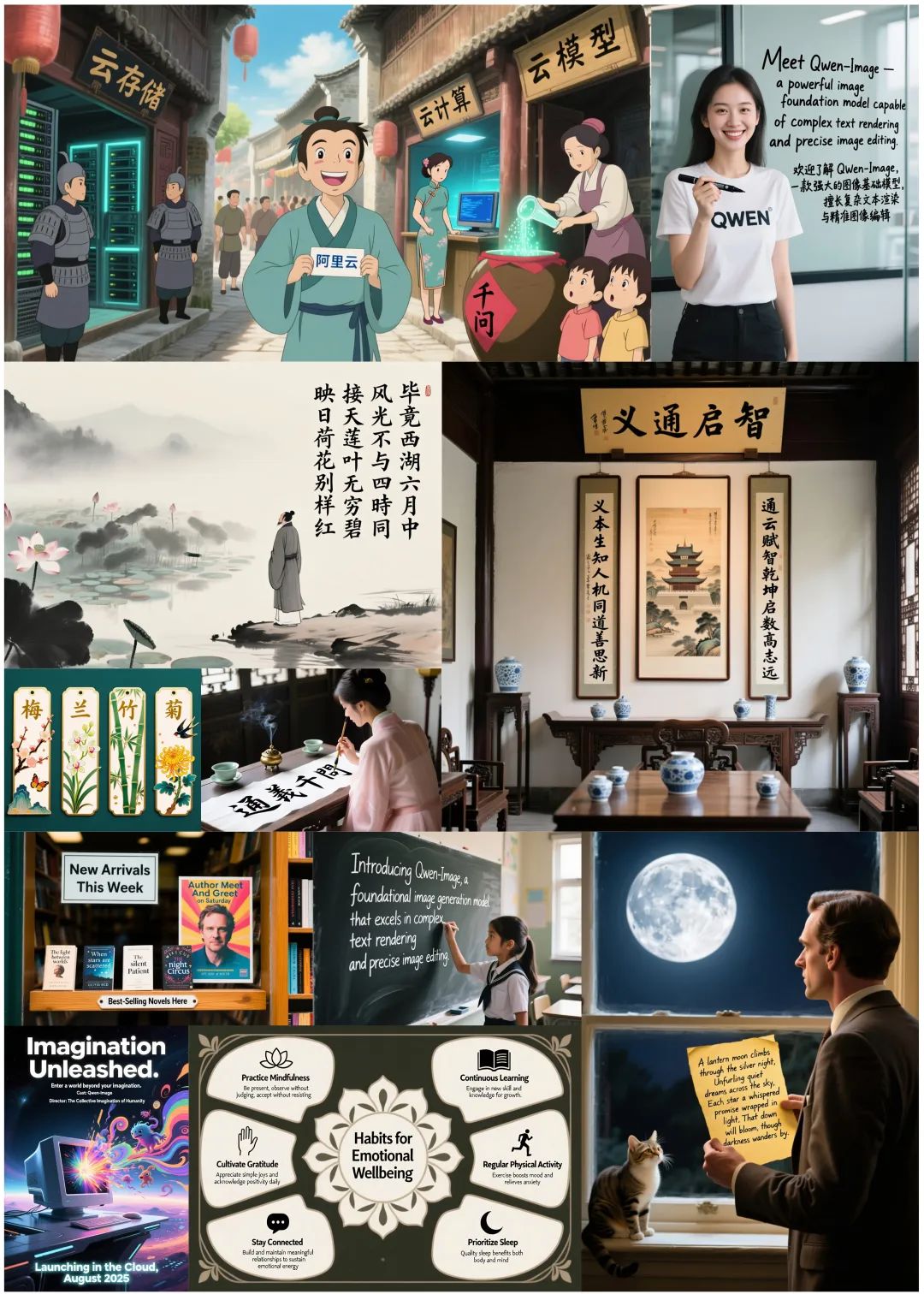
Qwen-Image在多样化图像中实现高精度文本渲染,无论是字母文字(如英文)还是表意文字(如中文),都能完美保留字体细节、版式协调与场景融合。文本不再是简单叠加,而是与视觉元素有机统一。
多风格图像生成
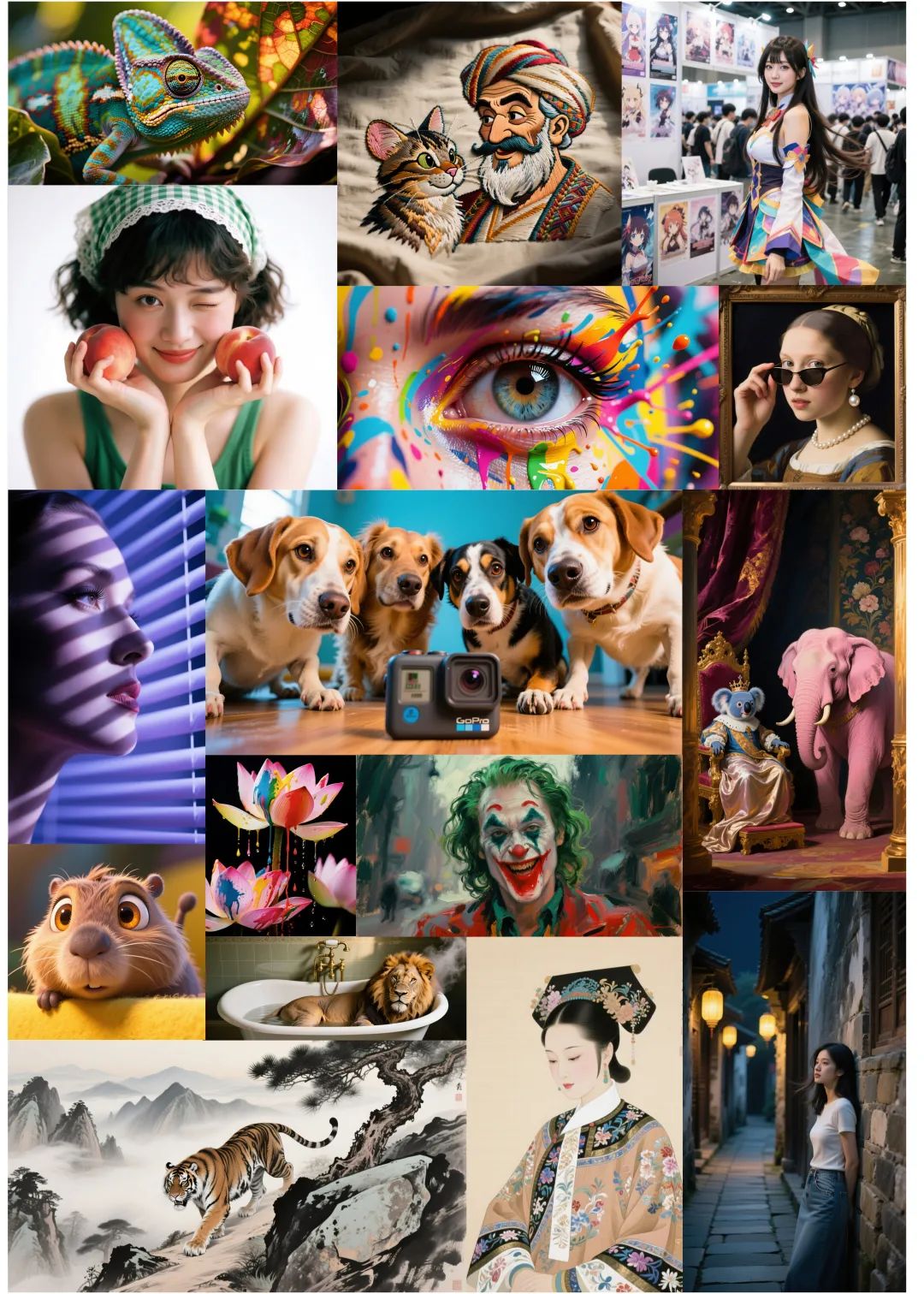
除文本外,Qwen-Image支持广泛艺术风格的图像生成。从照片级写实场景到印象派绘画,从动漫美学到极简设计,模型能流畅适应各类创意提示,成为艺术家、设计师和内容创作者的理想工具。
智能图像编辑
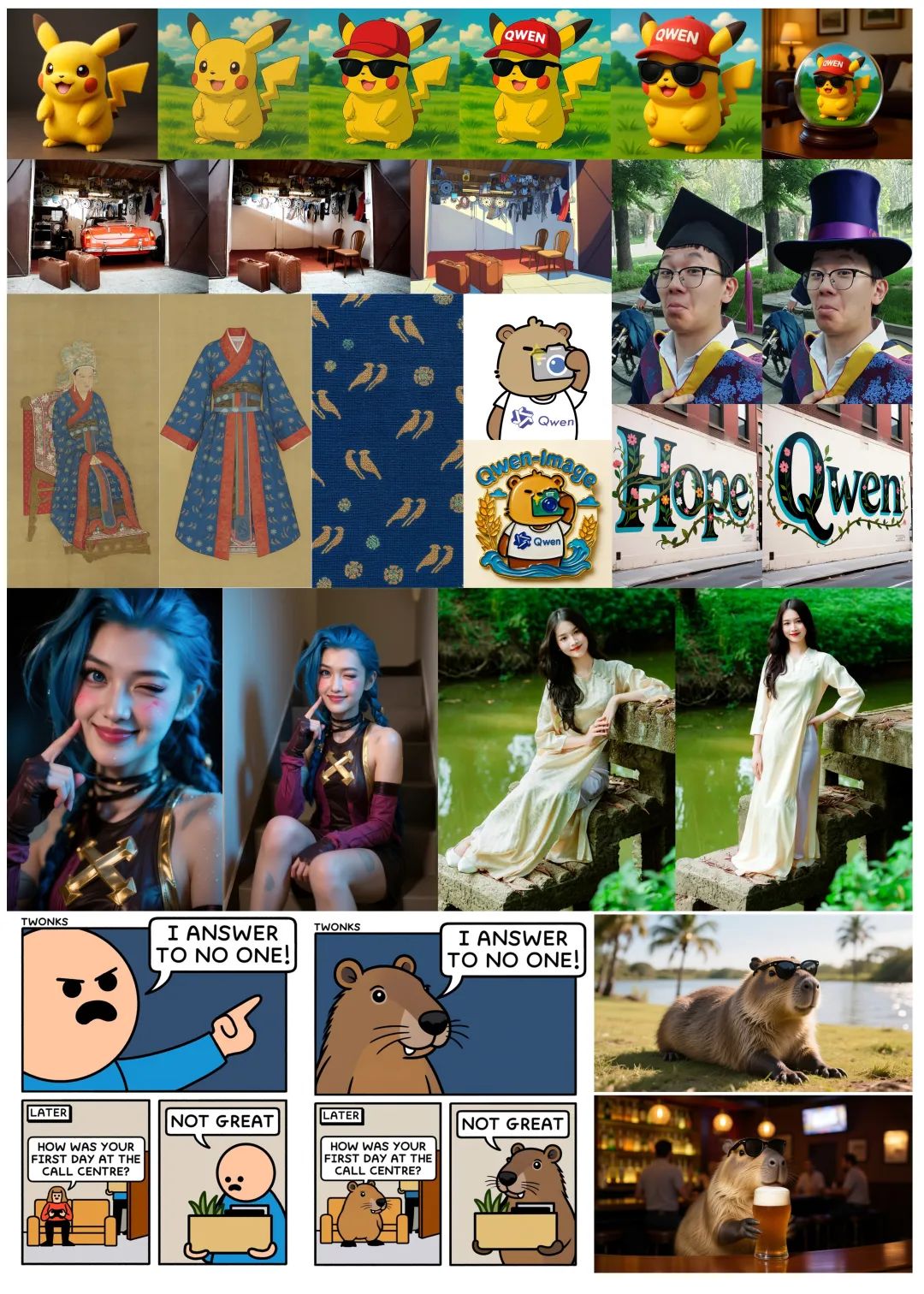
Qwen-Image提供超越常规的编辑能力,支持风格迁移、对象插入/移除、细节增强、图像内文本修改甚至人体姿态调整等高级操作。通过直观输入即可获得专业级输出,让复杂编辑触手可及。
深度视觉理解
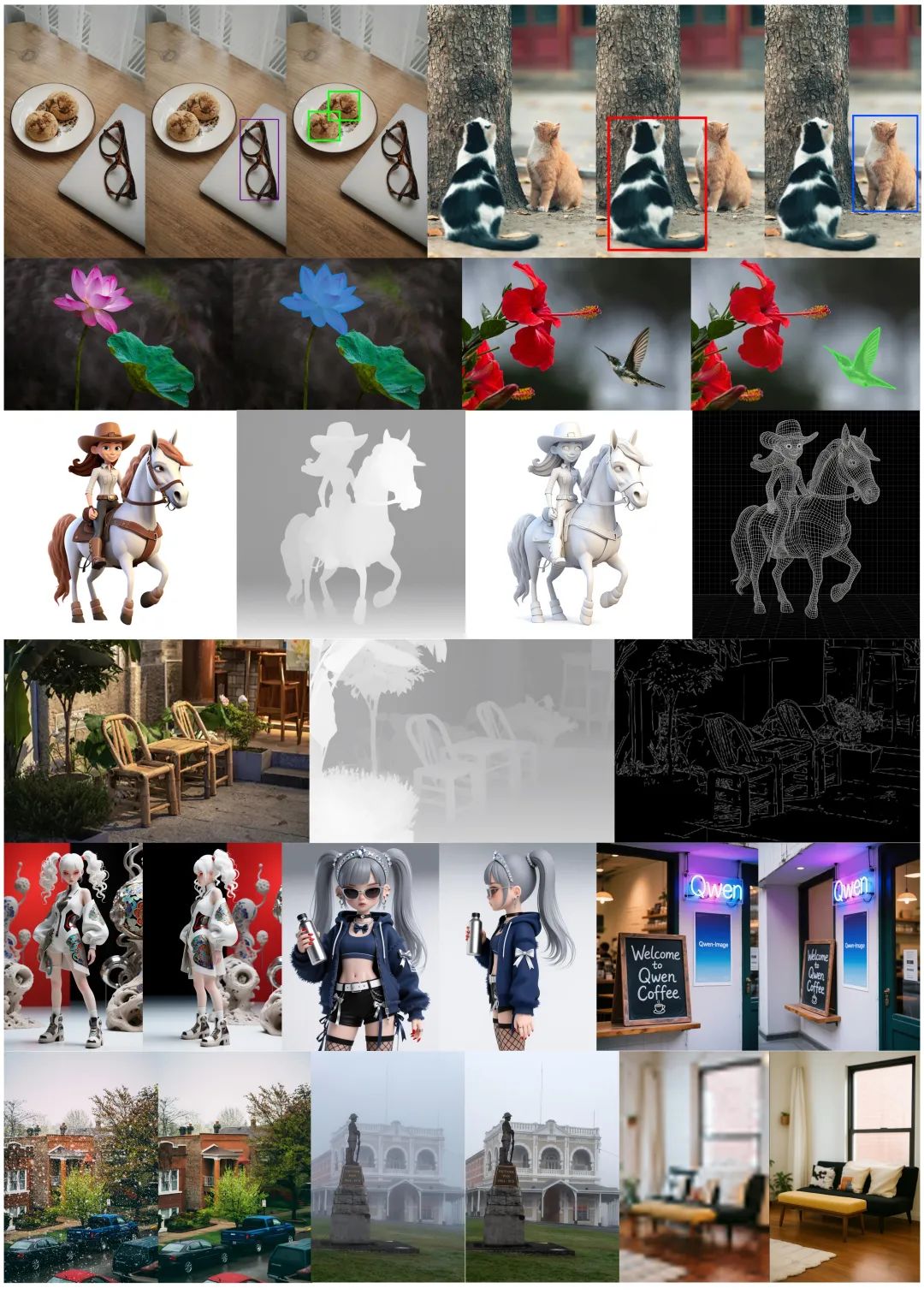
模型具备图像理解能力,包括目标检测、语义分割、深度/Canny边缘估计、新视角合成和超分辨率等。这些技术本质上都是基于深度视觉认知的智能编辑形式。
高级功能
提示词增强
推荐使用Qwen-Plus驱动的官方提示词优化工具:
Python集成方式:
ounter(lineounter(line from tools.prompt_utils import rewrite prompt = rewrite(prompt)
命令行调用方式:
ounter(lineounter(line cd src DASHSCOPE_API_KEY=sk-xxxxxxxxxxxxxxxxxxxx python examples/generate_w_prompt_enhance.py
模型部署
多GPU API服务
启动基于Gradio的Web服务,支持:
- 多GPU并行处理
- 高并发任务队列
- 自动提示词优化
- 多比例支持
环境变量配置:
ounter(lineounter(lineounter(line export NUM_GPUS_TO_USE=4 # 使用GPU数量 export TASK_QUEUE_SIZE=100 # 任务队列容量 export TASK_TIMEOUT=300 # 任务超时时间(秒)
启动命令:
ounter(lineounter(line cd src DASHSCOPE_API_KEY=sk-xxxxxxxxxxxxxxxxx python examples/demo.py
项目地址
Hugging Face:https://huggingface.co/Qwen/Qwen-Image ModelScope:https://modelscope.cn/models/Qwen/Qwen-Image Github:https://github.com/QwenLM/Qwen-Image
扫码加入技术交流群,备注「开发语言-城市-昵称」
(文:GitHubStore)
相关文章